
Movavi Game Capture v4.3.3
![[(No user ratings yet)]](https://cdn.afterdawn.fi/v4/download/rating_0_0.gif)
Commercial demo
Vista / Win10 / Win7 / Win8 / WinXP
Vista / Win10 / Win7 / Win8 / WinXP
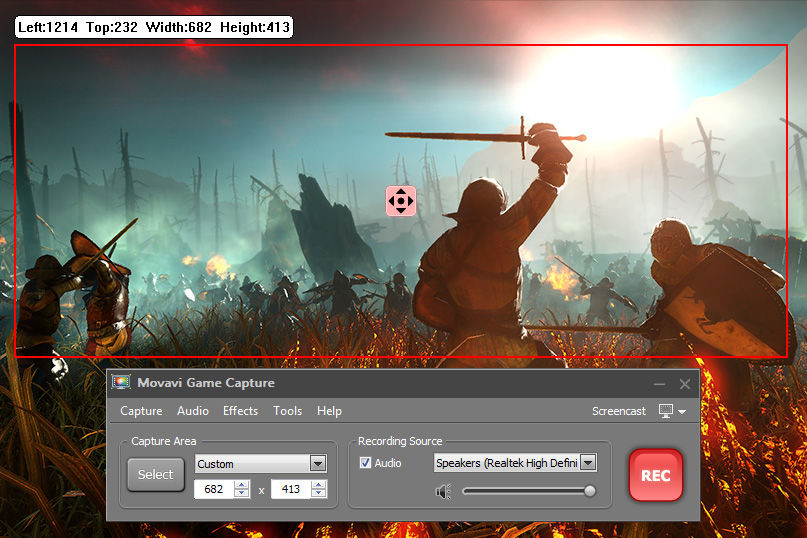
Movavi Game Capture can record your gameplay footage, edit it and upload it to services online.
You only need to press F10 and the program will start capturing the gameplay on your computer screen at 60 frames per second. The program can also output audio from the game's soundtrack to common audio formats so you can listen to it later.
The program captures your gameplay and lets you save it in any popular video format including AVI, MP4, FLV, and MKV. You can also save the video specifically for certain types of media and mobile devices.
Furthermore, you can upload the video footage to Facebook or YouTube directly from the application.
You only need to press F10 and the program will start capturing the gameplay on your computer screen at 60 frames per second. The program can also output audio from the game's soundtrack to common audio formats so you can listen to it later.
The program captures your gameplay and lets you save it in any popular video format including AVI, MP4, FLV, and MKV. You can also save the video specifically for certain types of media and mobile devices.
Furthermore, you can upload the video footage to Facebook or YouTube directly from the application.
Screenshots:
HTML code for linking to this page:
Keywords:
movavi game capture
record gameplay
screen capture
License type
Commercial demo1
Author's homepage
Visit the author's site
Date added
22 Mar 2017
Downloads
142
File size
45.26 MB
(6min @ 1Mbps)
Supported languages
English
Operating systems
Vista / Win10 / Win7 / Win8 / WinXP1
1License and operating system information is based on latest version of the software.
(No user ratings yet)

